

Microsoft Calendar Integration
Integrating your Microsoft Calendar with Just Meeting Rooms makes it easy to keep track of your bookings alongside the rest of your schedule.
This how-to guide provides step-by-step instructions for connecting your Microsoft Calendar to Just Meeting Rooms, enabling efficient management of meetings and events. You'll learn how to access your settings, authorize Just Meeting Rooms’ access to your Microsoft account, and sync your calendar for better scheduling and integration.
Step By Step Guide
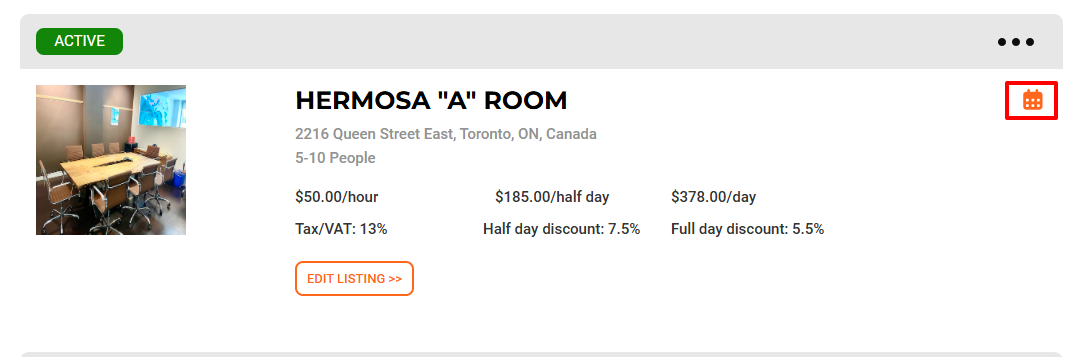
Step 1. Click the Calendar Icon
This will open your listing’s calendar
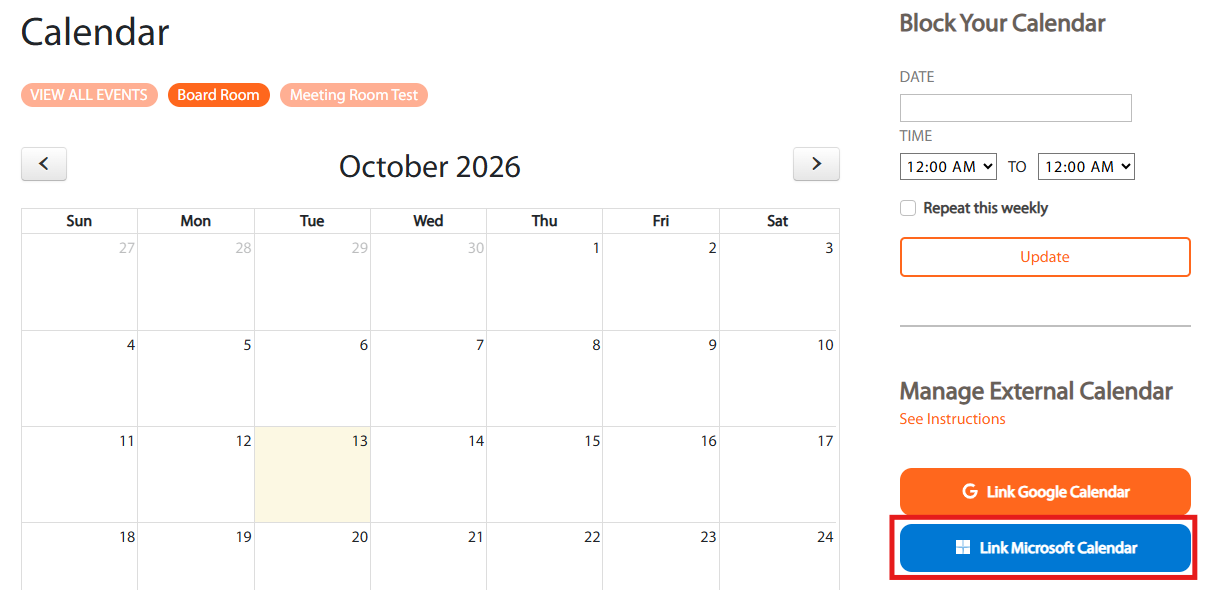
Step 2. Click on Link Microsoft Calendar Button
This action will link your calendar with Just Meeting Rooms, allowing you to utilize calendar sync features for scheduling and managing your meetings efficiently
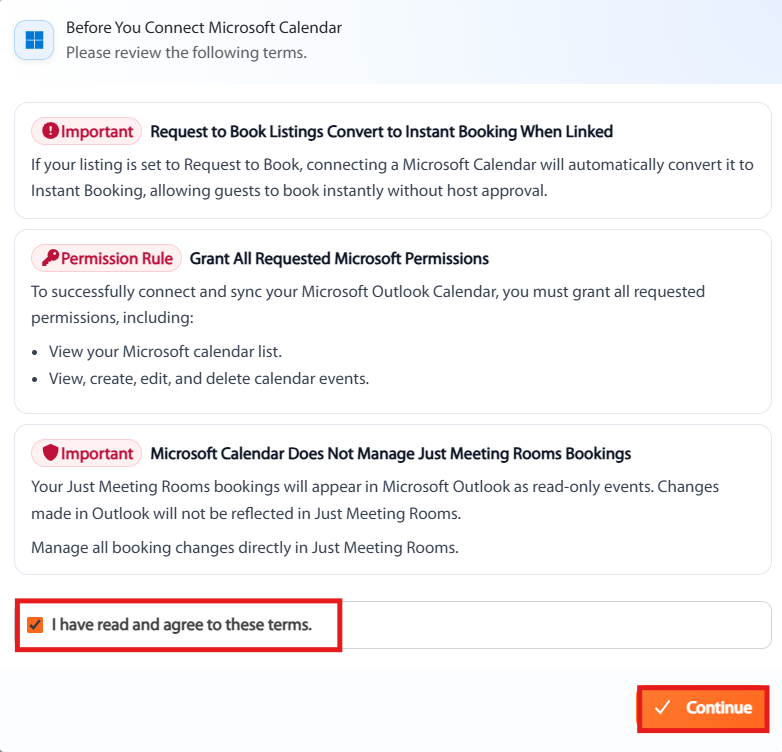
Step 3. Click “I have read and agree to these terms” and click on the Continue Button
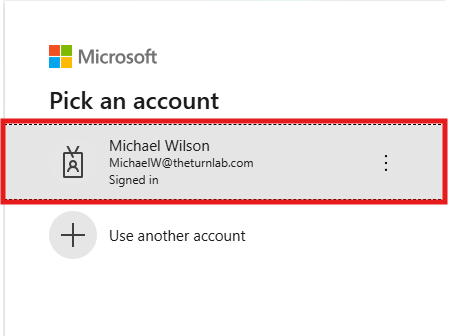
Step 4. Click the Email Address
Selecting the email address will initiate the sign-in process for your Just Meeting Rooms account using the associated Microsoft account
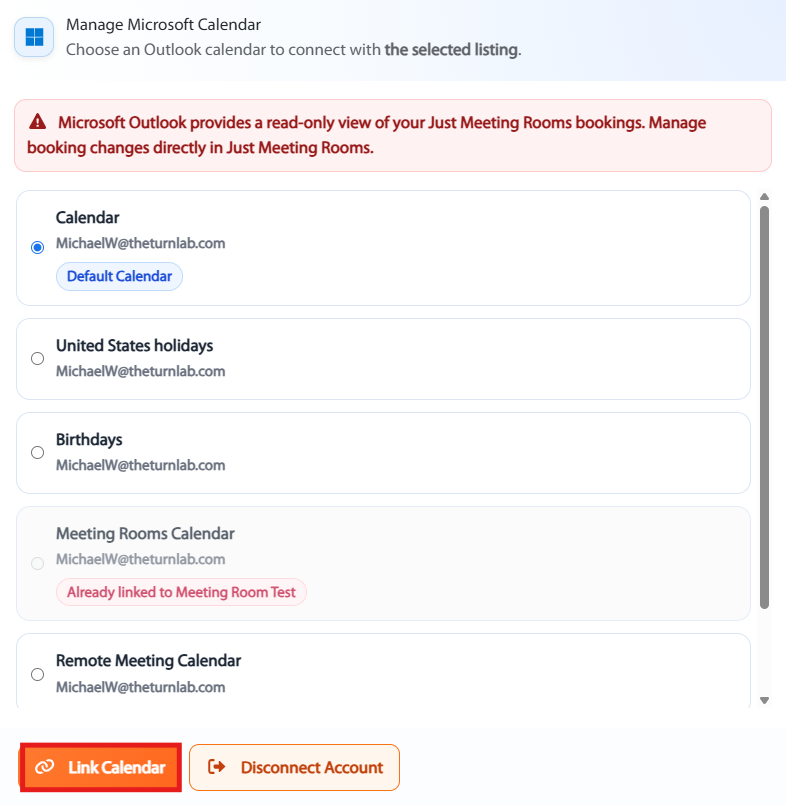
Step 5. Click on Link Calendar Button
This action will link our calendar with your Just Meeting Rooms listing
Have questions? We’re here to help, please contact us at support@justmeetingrooms.com